
CCA Quick Tips: Web Accessibility Compliance
Accessibility compliance is a hot-button topic in higher education right now, as updates to ADA Title II are quickly approaching. By as early as April 2026, public entities, such as institutions of higher education, will need to ensure that all their digital content meets WCAG 2.1 Level AA compliance.
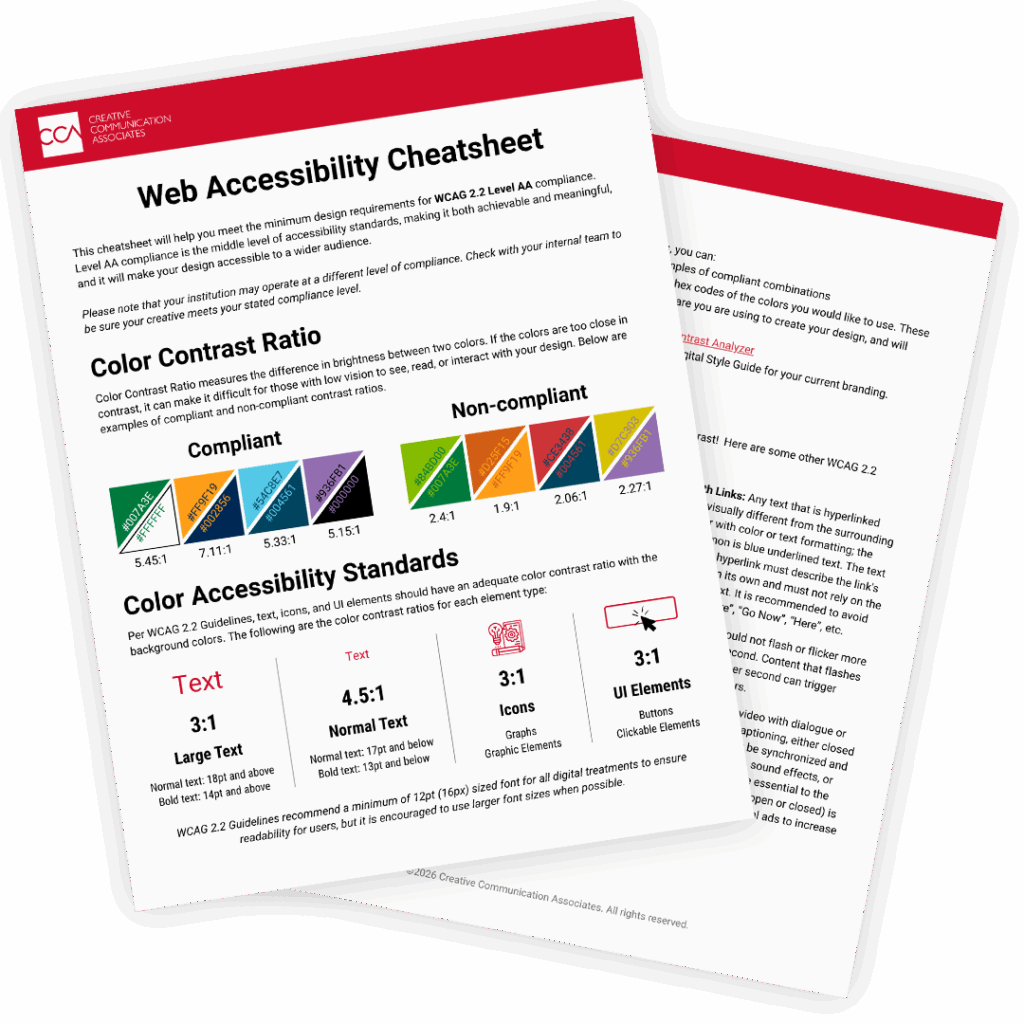
To help your team meet compliance requirements, we have compiled a Web Accessibility Cheatsheet addressing some of the most commonly overlooked standards. Want the full downloadable version? Scroll down!
Color Contrast
When making digital content, in most applications, you will end up layering text on a colored background. It is important to know whether those combinations meet the minimum color contrast ratio. To meet WCAG 2.2 Level AA standards, your color combinations should meet these minimum contrast ratios:
- 3:1 for Icons or UI Elements: Including graphs, graphic elements, buttons, and clickable elements
- 3:1 for Large Text: Normal text 18pt and above or bold text 14pt and above
- 4.5:1 for Normal Text: Normal text: 17pt and below or bold text: 13pt and below
Alt Text & Titles
All images and graphics used online should include short but descriptive Alt Text & Titles.
- Alt Text should be no more than 125 characters, and should describe the image. This will play through screen readers and display if images are blocked or fail to load.
- Titles should be short, no more than 75 characters. This is supplemental to Alt Text and should be used for additional nonessential information.
Captions
Videos are the best way to connect with your future first-year class, and to reach as many viewers as possible, you should use captions.
- Any video with dialogue or voiceover should have captioning, either closed or open. Captioning must be synchronized and include any speech, music, sound effects, or background sounds that are essential to the video’s content.
Did you know? Captioning (open or closed) is highly recommended for social ads. We have seen increased engagement across social media platforms for videos with captions.
Forms
Forms are an important tool for any institution to gather leads, book visits and event registrations, or collect information from its active pool of students. Regardless of the form’s intent, users need to be able to engage with it, so it should meet accessibility standards.
- To ensure your form is accessible to as many users as possible, it is recommended to use static, permanent titles above form fields. Supplemental disappearing placeholder text in the form field is allowed and can be a useful tool for showing accepted formatting or example answers.
Get more tips like these by downloading our Web Accessibility Cheatsheet today.